Your year, alive on your home screen.
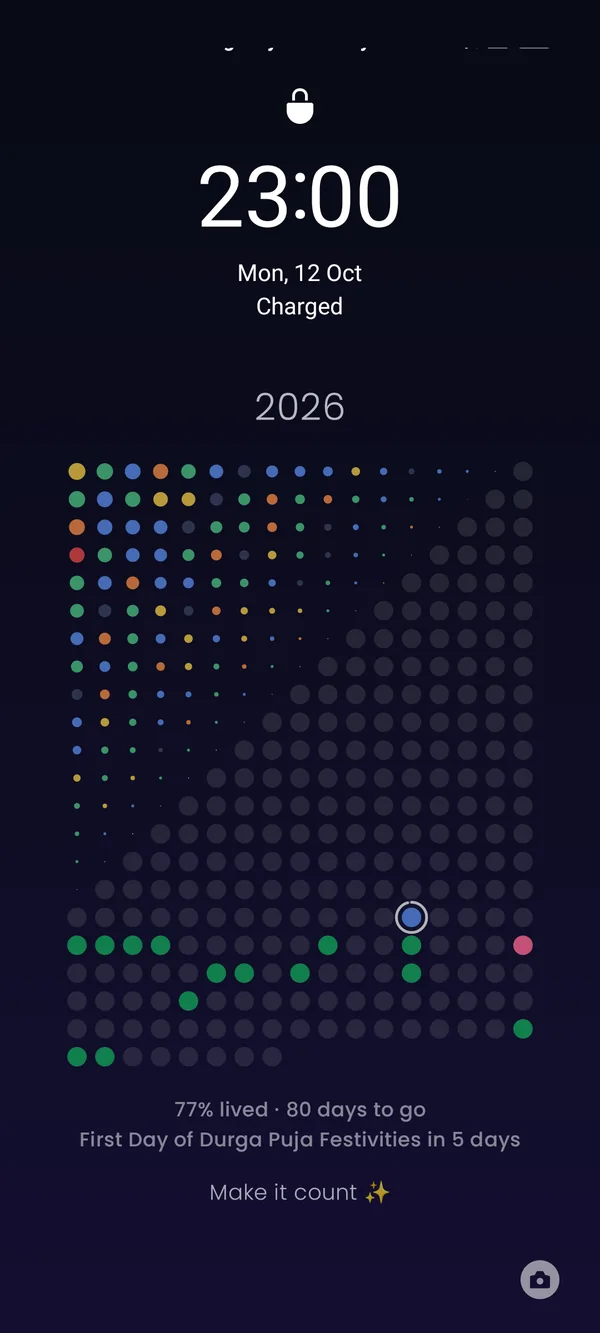
A happy little live wallpaper that fills one dot a day. Tap today to tell it how you felt, tick off water and habits, and watch your year bloom into colour. Now with a home-screen widget.
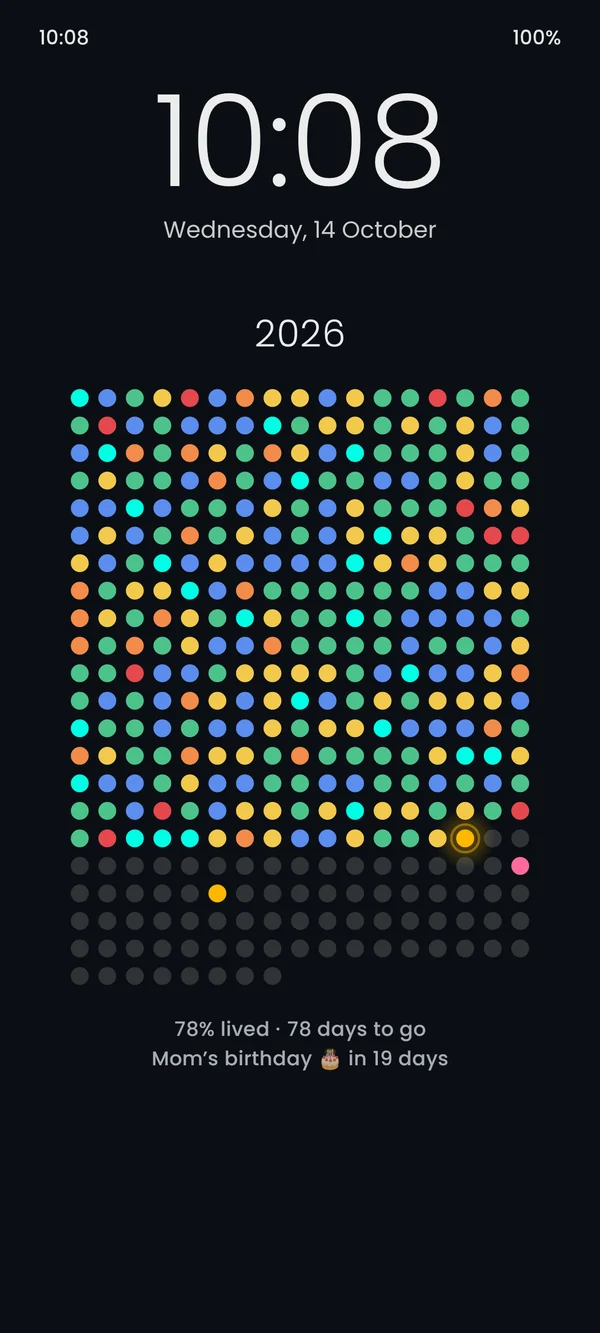


Not a picture. A little companion.
Other apps paste a new image once a day. Hueyear is a real live wallpaper: it moves, it listens, and it never forgets to update.
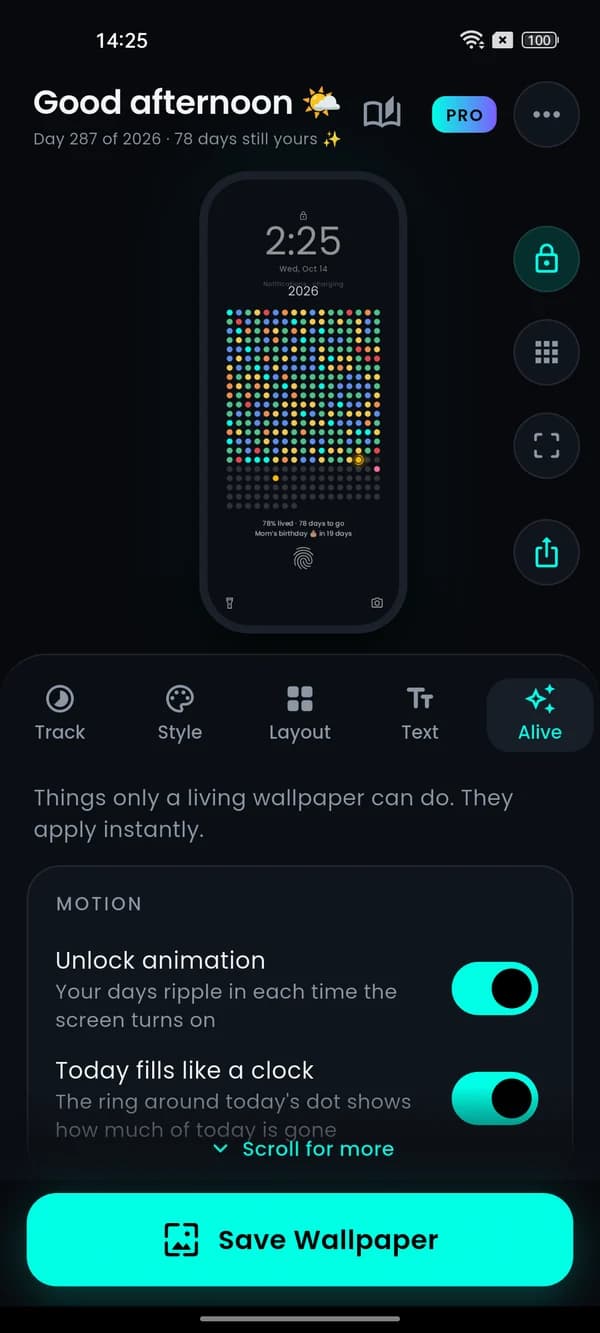
Your days ripple in every time you unlock
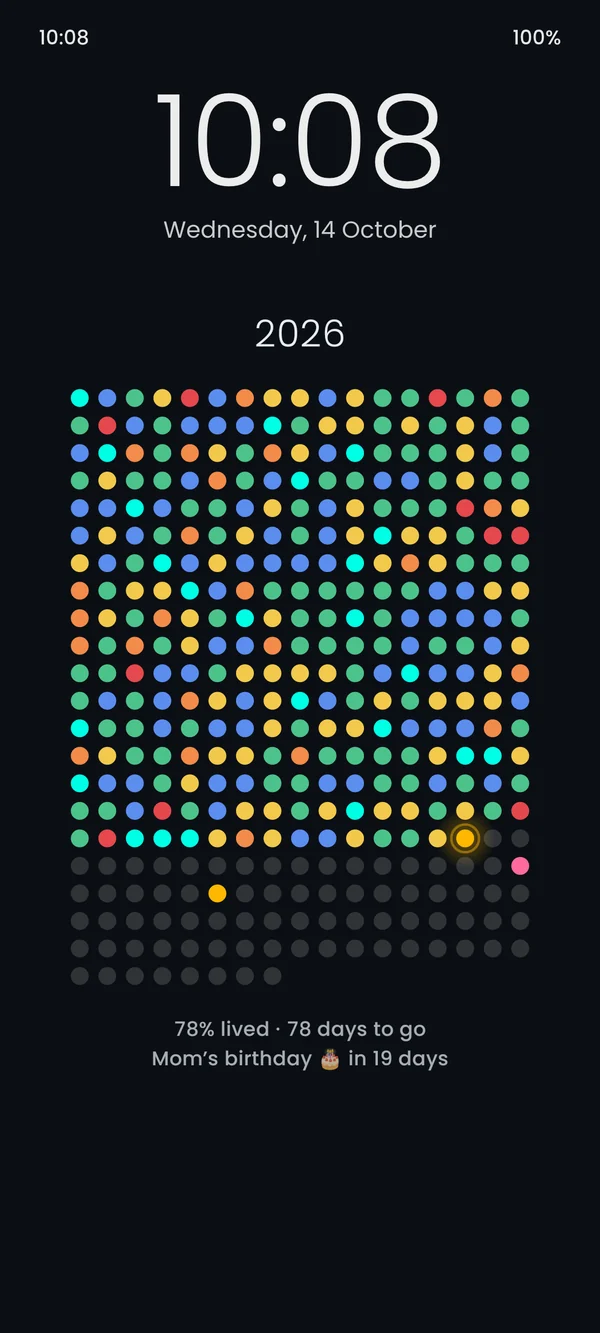
A one-second wave of everything you have lived so far. Then it sleeps: zero battery between unlocks.
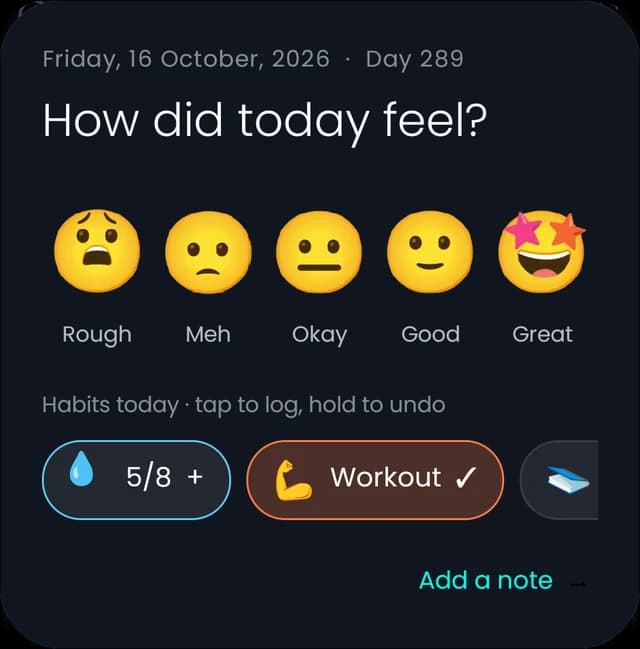
Tap today’s dot. Pick a face. Done.
Log your mood from the wallpaper, the app icon, Quick Settings or the evening check-in. No app to open.
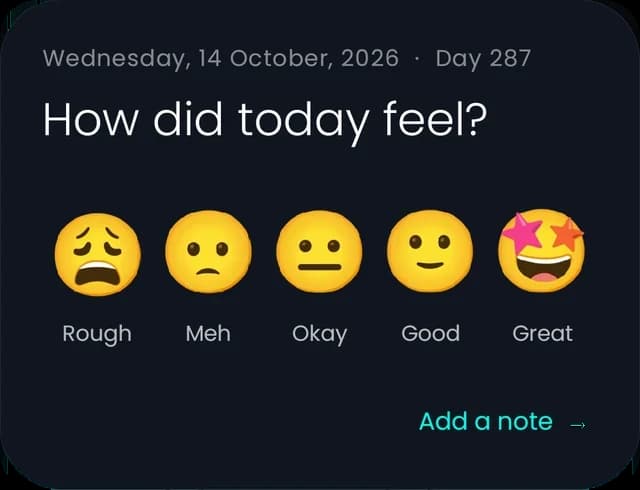
Today fills like a clock
The ring around today sweeps as the hours pass.
Never hidden by your clock
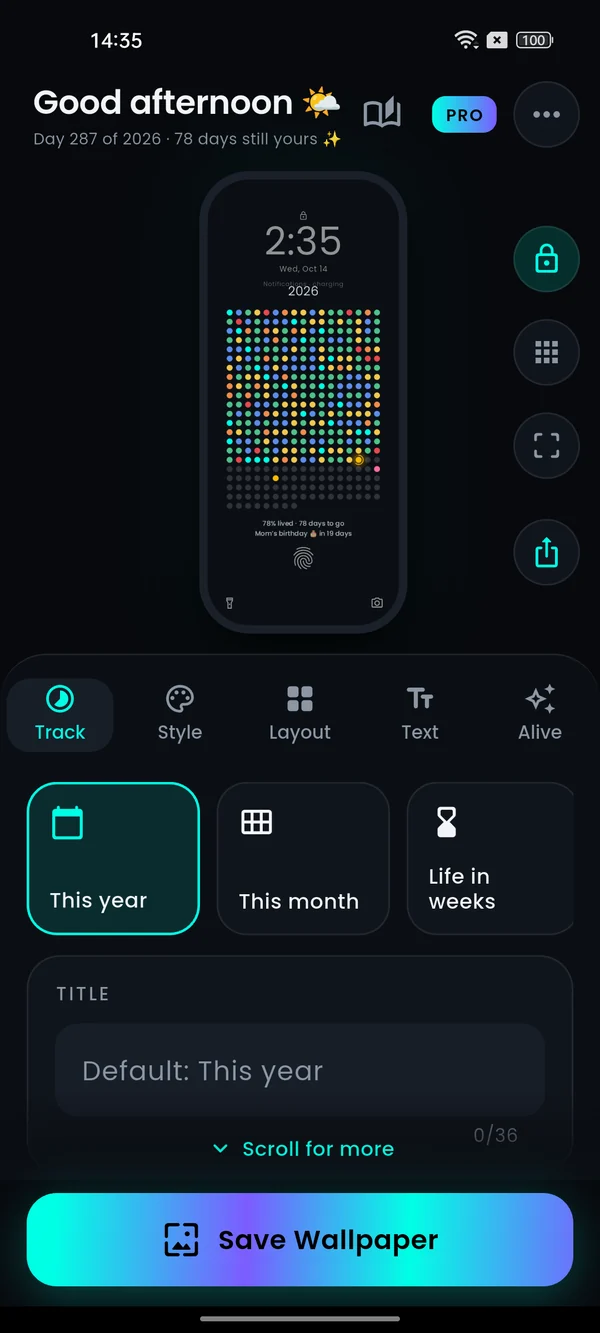
Preview with your lock-screen clock, fingerprint and home icons on top. Slide the dots exactly where they belong.
Softer on home, brighter on lock
Dim behind your icons, full glow on the lock screen. Or lock-screen-only, never touching your home wallpaper.
A home-screen widget, free
Your dots, today’s mood and habits in a resizable widget. Tap it to log. Perfect for phones whose lock screen hides live wallpapers.
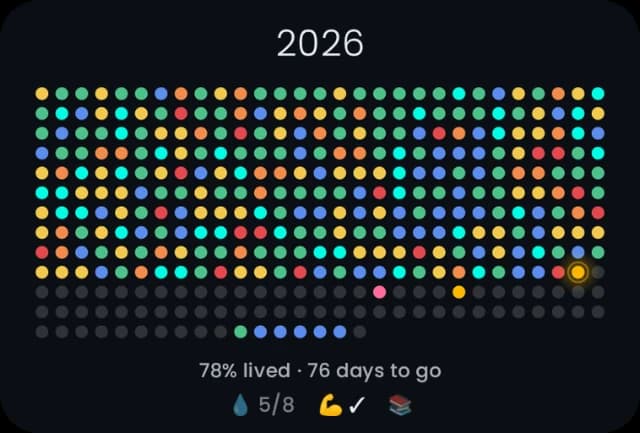
Your year becomes a picture of how it felt.
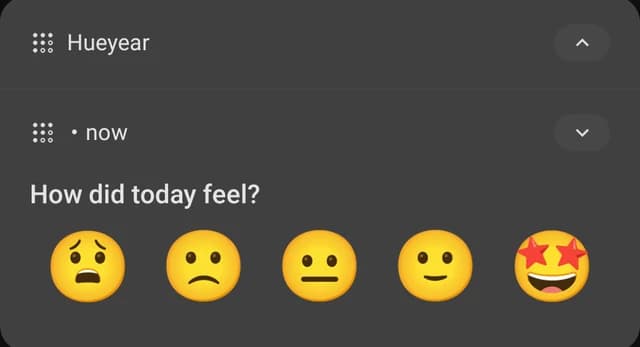
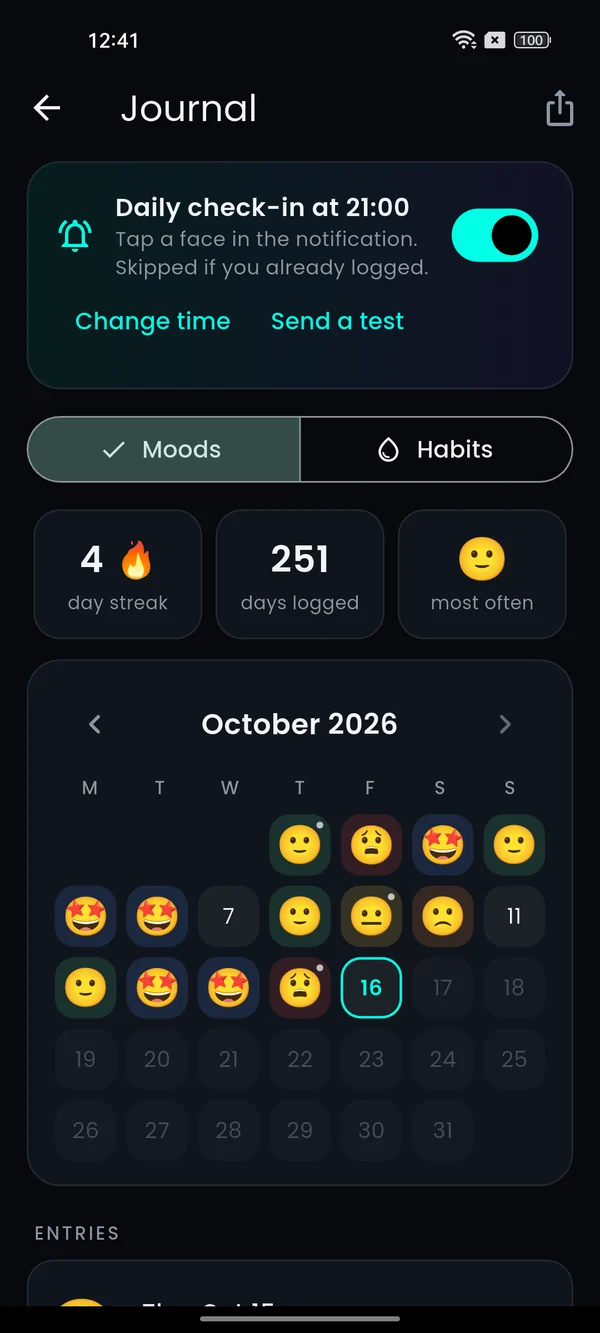
Every day you log keeps its colour on your wallpaper. A gentle check-in arrives when you choose, and you can answer right inside the notification.
- One-tap check-in at your time. Skipped on days you already logged.
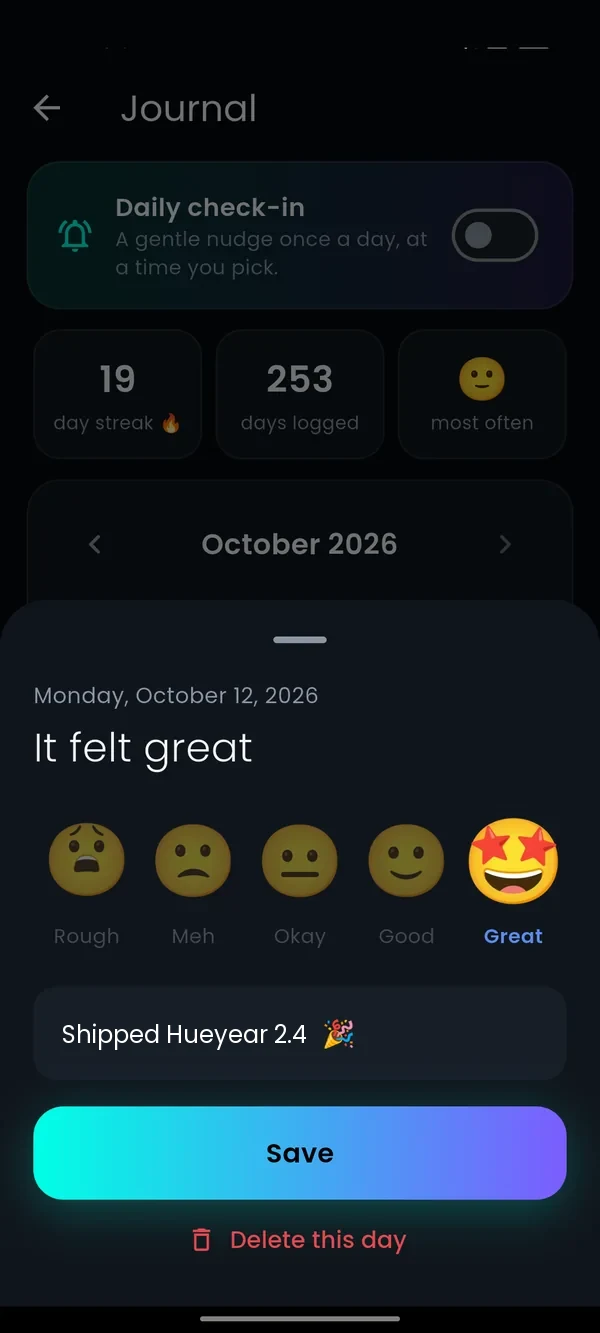
- Animated 3D faces that feel good to tap: Rough, Meh, Okay, Good, Great.
- A journal that stays simple: a calm month view, a line of notes, a streak to be proud of.
- Change your mind? Edit or delete any day, anytime.
Drink water. Move. Read. Watch it add up.
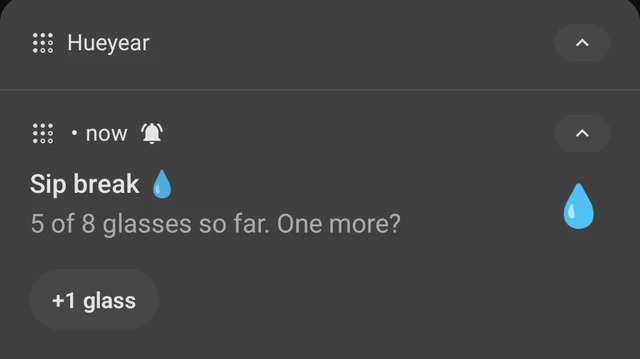
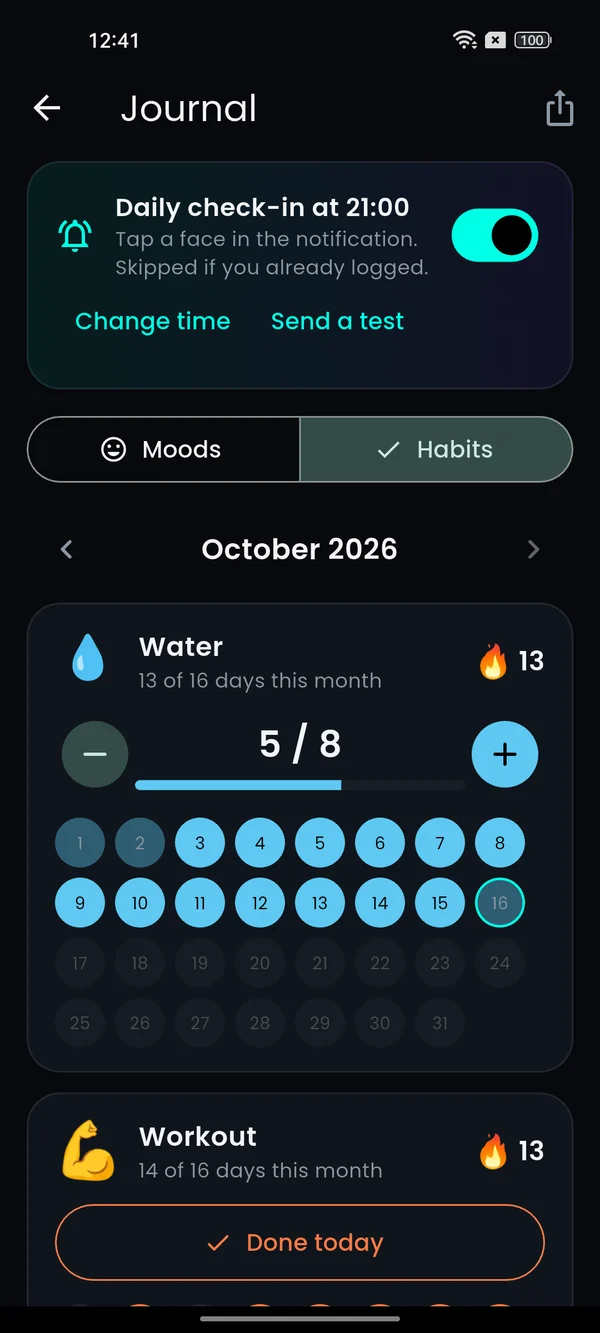
Your habits sit right under your dots, like 💧 5/8 · 💪 ✓. Log them from the wallpaper, the widget or a notification, without opening the app.
- Water reminders inside the hours you pick, with a +1 glass button. They stop once you reach your goal.
- Ready-made habits: workout, read, meditate, walk, no sugar, sleep early, eat greens, or your own.
- Colour your year by a habit and your wallpaper becomes a streak map: full dots on days you did it.
- Streaks and a month view in the journal. Fix any past day with a tap.
- Still private. No Health Connect, no sign-in. Habits stay on your phone like everything else.
Birthdays, festivals & holidays, glowing on your dots.
Connect the calendars already on your phone, including Google Calendar’s Holidays in India and birthdays. Upcoming dates light up on your grid with a sweet countdown underneath.
- Totally optional. Skip it and add your own special dates by hand.
- Read only, on your phone. No sign-in screen, nothing uploaded, ever.
- Only all-day dates, so meetings never crowd your wallpaper.
- Updates itself when a new day starts.
Five ways to count what matters.
Life in weeks · ~4,000 dots
An average life is about 4,000 weeks (80 years × 52). Hueyear turns that into a live wallpaper: one dot per week. Lived weeks fill in; the rest stay open ahead of you. Enter your date of birth once (kept only on your phone), then optionally colour chapters like school, college or your first job. Calm perspective — not a countdown to fear.
This year
365 dots. Watch the year fill up, one calm day at a time.
This month
A cosy month calendar with weekday letters.
Goal countdown
NEET, JEE, UPSC, a launch, a trip. Every dot is a step closer.
Days since
Together, sober, baby’s first year, a streak you are proud of.
Pretty enough to keep forever.
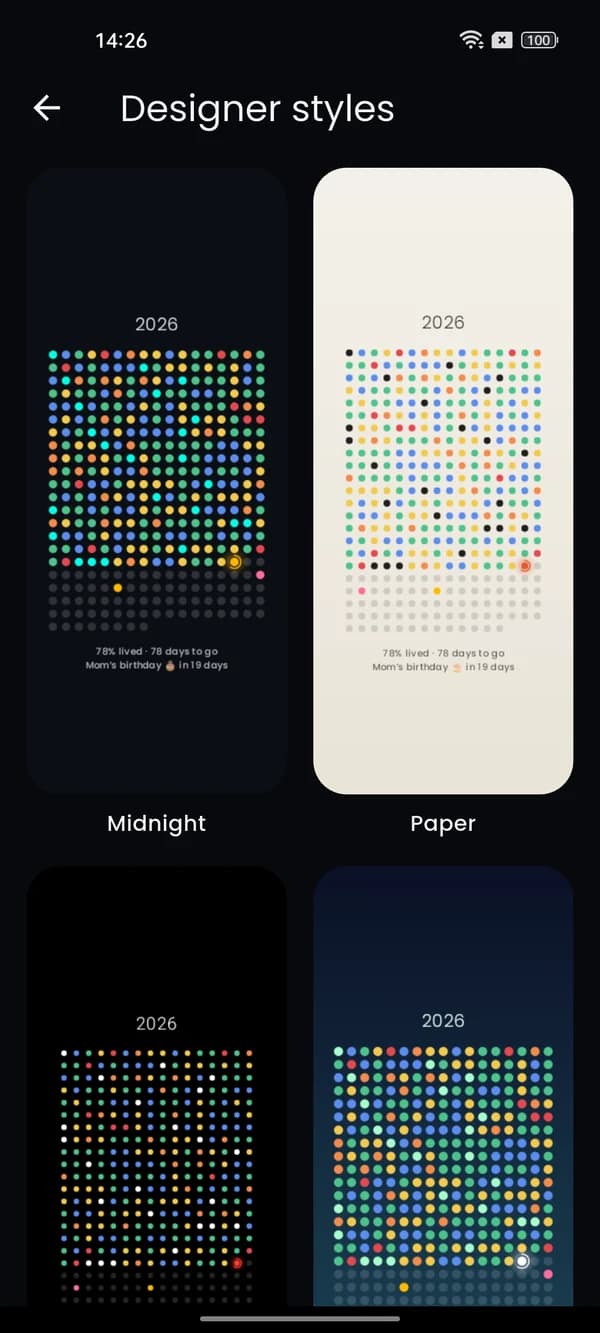
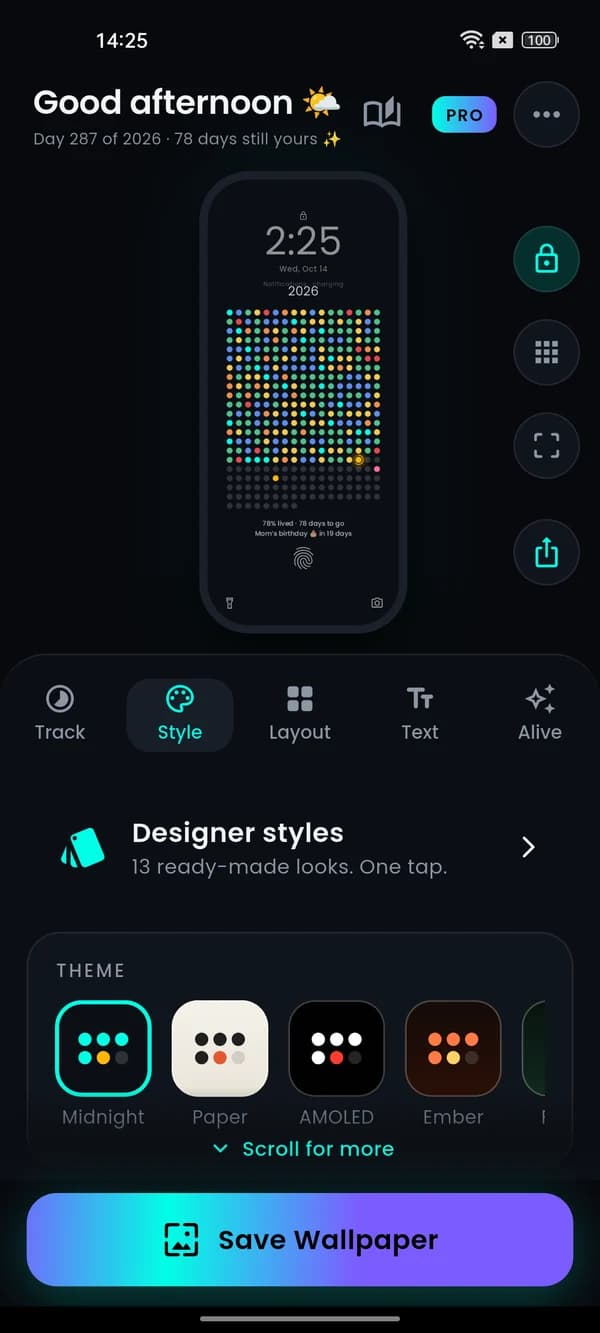
13 designer styles, 12 themes or your own colours, 7 fonts, 4 dot shapes, month and quarter layouts, your own photo, and a line of your own words.
Made to just work.
We read hundreds of reviews of other life-calendar apps and fixed what people kept asking for.
| Hueyear | Typical apps | |
|---|---|---|
| Updates by itself at midnight | ✓ Always, it’s live | Often needs re-applying |
| Lock-screen only | ✓ Yes, never touches home | Changes both |
| Log your mood | ✓ One tap, from anywhere | Open the app |
| Calendar birthdays & festivals | ✓ Optional, on-device | Not available |
| Water & habits | ✓ On the wallpaper, +1 from a notification | A separate app |
| Home-screen widget | ✓ Free, tap to log | Pro only or missing |
| Moves & reacts | ✓ Ripple, day clock, tap | Static image |
| Ads | ✓ None, ever | Video ads |
Free to love. Pro to go all in.
No subscription. No ads. Pay once if you want everything.
Free
- This year & this month
- Live wallpaper + lock-screen only
- Mood journal & daily check-in
- Unlock ripple & day clock
- Calendar sync (birthdays & holidays)
- Home-screen widget
- Water + 1 habit, water reminders
- 3 styles, 2 special dates
Pro Lifetime
- Everything in Free
- Life in weeks with life chapters
- Goal & exam countdowns, days-since
- All 13 styles, themes & your own colours
- Photo backgrounds, 7 fonts, 4 shapes
- Month & quarter layouts, unlimited dates
- Up to 5 habits on your wallpaper

Harshit Singh Chouhan
I build small, calm things for busy lives. Hueyear (hue + year) started as a reminder on my own phone: not to rush, not to panic, just to notice that every day is a little gift. It grew into a wallpaper that celebrates your days instead of counting them down. No ads, no tracking, just you and your year.
Ideas, bugs or a hello? I read every message: techupdate54@gmail.com
Feature requests or a personal project in mind? Reach me directly: harshitdev292@gmail.com
Questions, answered.
Does it drain my battery?
No. Hueyear draws only when something changes: a new day, a mood you log, or the screen turning on. Between unlocks it does nothing at all.
Will it show on my lock screen?
On most phones the live wallpaper shows on both screens. Some Xiaomi, Oppo, Vivo and Realme lock screens hide live wallpapers. For those, pick “Lock screen only” or “Home & lock (still image)” and it refreshes itself every midnight.
What is “Life in weeks”?
An average life is about 4,000 weeks. Hueyear shows one dot per week on your wallpaper. You enter your date of birth so the lived weeks are correct; everything stays on your phone. You can colour chapters (school, college, first job) later. It is meant as calm perspective, not something scary.
Is my data private?
Yes. Moods, notes, habits, dates (including your birth date) and photos stay on your phone. There is no account and no tracking. Calendar sync is optional and read-only.
How does calendar sync work?
Hueyear reads the calendars already on your phone, the same ones Google Calendar syncs, and shows all-day dates like birthdays and festivals. Want festivals? In Google Calendar go to Settings → Holidays and add your country.
Does Hueyear track my health data?
No. Habits like water or workouts are simple taps you log yourself, stored only on your phone. Hueyear does not connect to Health Connect, Google Fit or any sensor, and nothing is uploaded.
Is there a home-screen widget?
Yes, free for everyone. Long-press your home screen → Widgets → Hueyear, or use “Add widget to home screen” in the app. It shows your dots, today’s mood and habits, and opens the quick log when tapped.
Do I have to log my mood every day?
Never. It is a gentle option. Skip days, log later, edit or delete any day. The check-in reminder is off until you turn it on, at a time you choose.
Which phones are supported?
Android 7.0 and newer, which is almost every Android phone in use today.
Is Pro a subscription?
No. Pro is a one-time purchase through Google Play, yours forever, including future updates.