A life calendar wallpaper that updates itself
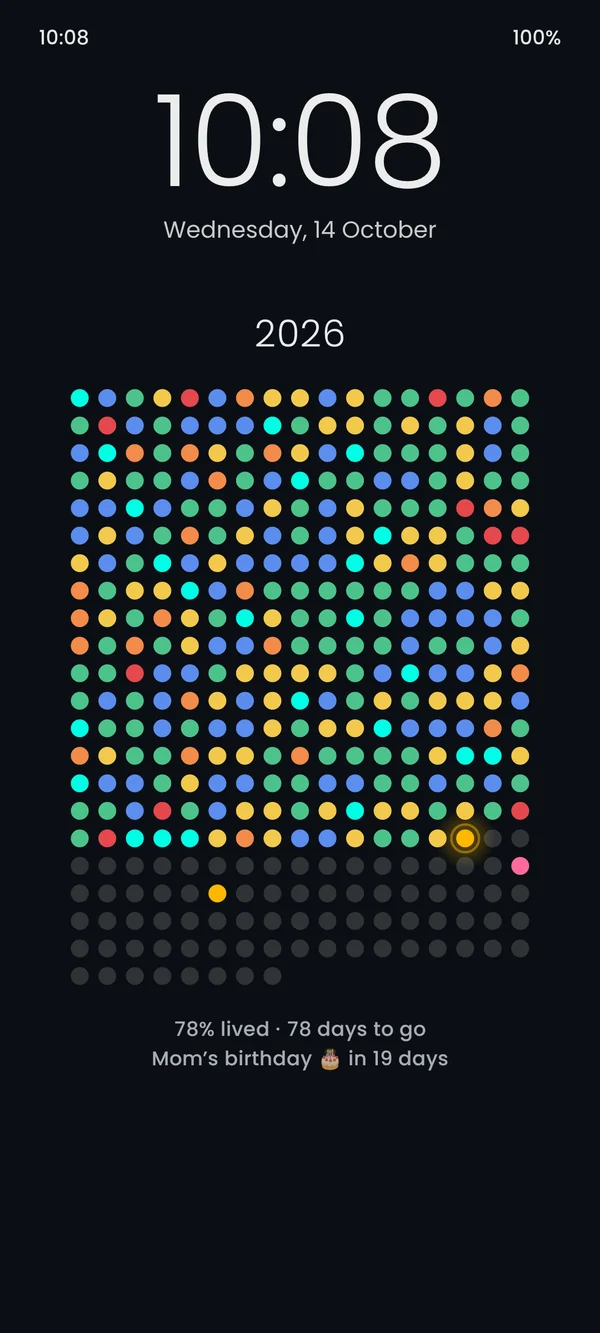
A life calendar shows time as a grid of dots: one dot per day, week or month. Seeing it every time you pick up your phone is a quiet nudge to spend today well. Hueyear puts that grid on your Android home and lock screen as a real live wallpaper, so it is always correct without you doing anything.


Why a live wallpaper instead of an image
Most life calendar apps generate a picture and set it once a day. If the phone restarts or the battery saver kills the app, the picture goes stale. Hueyear draws the grid itself, so a new day is always a new dot, right at midnight.
Year, month or your whole life
Pick “This year” for 365 dots, “This month” for a small calendar, or “Life in weeks” for about 4,000 weeks coloured by your life chapters: school, college, first job and whatever comes next.
Colour it with how it felt
Tap today’s dot and choose Rough, Meh, Okay, Good or Great. Over months your wallpaper turns into a picture of your year, not just a counter.
Built for real phones
A fit check previews your lock-screen clock and icons on top, so the dots are never hidden. On Xiaomi, Oppo, Vivo and Realme phones that hide live wallpapers on the lock screen, a still mode refreshes itself every midnight.
Questions, answered.
Is the life calendar wallpaper free?
Yes. This year, this month, the mood journal, calendar sync, the home-screen widget, water plus one habit and 3 styles are free with no ads. Pro is a one-time purchase for life in weeks, countdowns, up to 5 habits and all styles.
Does it work on the lock screen?
Yes. Choose home and lock, lock screen only, or a still image mode for phones that hide live wallpapers on the lock screen.
Does it drain battery?
No. It only redraws when the day changes, you log a mood, or the screen turns on.