A minimalist dot calendar, always up to date
A dot calendar is the cleanest way to see time: no numbers to read, just filled and empty dots. Hueyear draws one on your Android home or lock screen as a live wallpaper, so today’s dot is always right without re-setting an image.
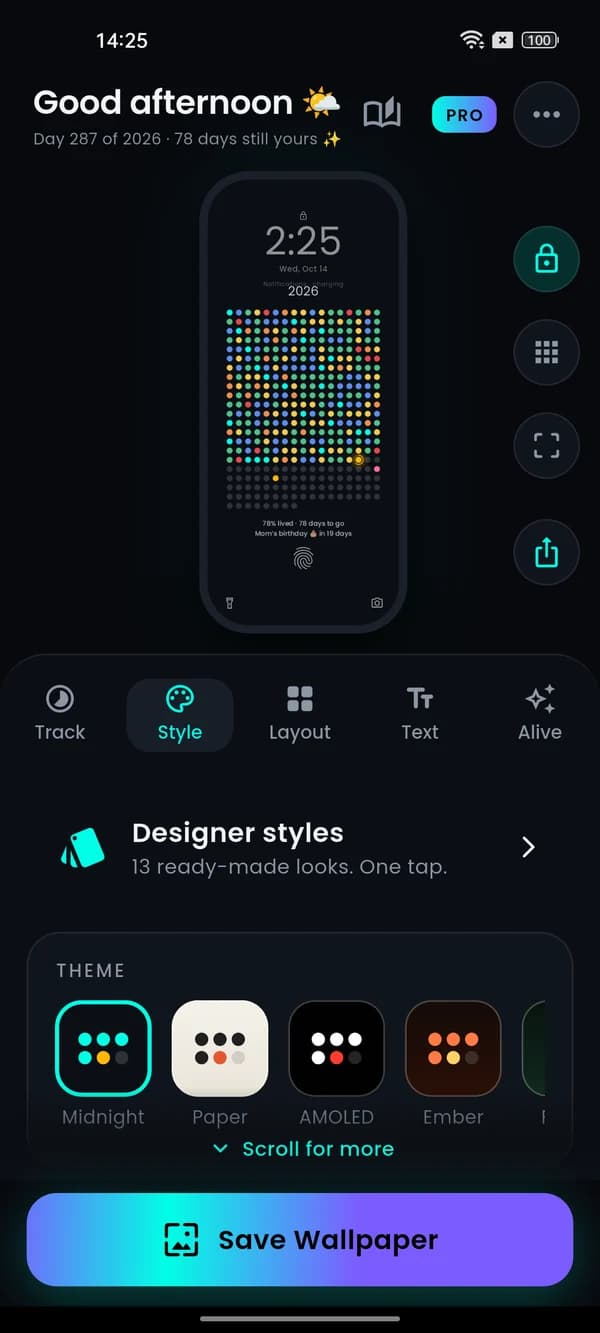


True black for AMOLED
Pick the AMOLED, Midnight or Paper styles, or set your own background and dot colours. Black pixels stay off on OLED screens.
Shapes, fonts and layout
Circles, rounded squares and more, 7 fonts, a free-flowing grid or month and quarter layouts, spacing and grid width you control.
Sits around your clock
A fit check previews your lock-screen clock and app icons on top, so the dots land exactly in the free space.
Light on battery
It only redraws when the day changes, you log a mood or the screen turns on. Nothing runs in between.
Questions, answered.
Can I make it black and white?
Yes. Choose a dark style like AMOLED, or pick your own background, filled and empty dot colours.
Can I hide the text?
You can change the line under the grid to your own words, or keep it short and simple.
Does it work as a lock screen wallpaper only?
Yes. Choose lock screen only and your home screen wallpaper stays untouched.