A habit tracker you see every time you unlock
Habit apps work when you remember to open them. Hueyear puts your habits where you already look: your wallpaper. Today’s habits sit under your year of dots, like 💧 5/8 · 💪 ✓, and you tick them off without opening anything.


Always in sight
Your habits show on the home and lock screen and in a free home-screen widget. Seeing them a hundred times a day is the reminder.
Log in one tap
Tap today’s dot, the widget or the “Log today” tile, then tap a habit. Your evening check-in also has a button for each habit you haven’t done yet.
Your year as a streak map
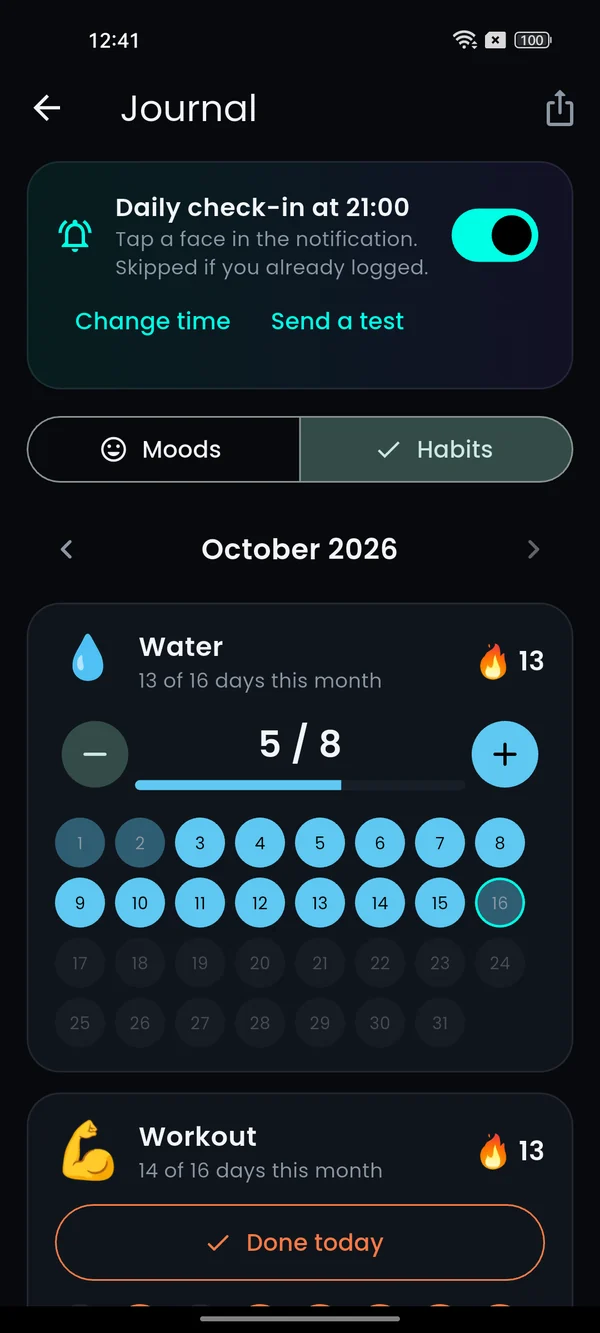
Colour the year by a habit: full dots on days you did it, soft dots for some progress. The journal shows streaks and a month view you can fix with a tap.
Private, no Health Connect
Habits are taps you log yourself, stored only on your phone. No account, no sensors, nothing uploaded.
Questions, answered.
How many habits can I track?
Water plus one more habit are free. Hueyear Pro, a one-time purchase, lets you track up to 5 on your wallpaper.
Which habits are included?
Water, workout, read, meditate, walk, no sugar, sleep early and eat greens, or make your own with an emoji and a daily goal.
Does it drain battery?
No. The wallpaper only redraws when something changes, like a habit you log or a new day.